Everything that ships today.
No future roadmap dressed as a feature list. These are the tools available in PlateStack now.
Six screens carry the whole product.
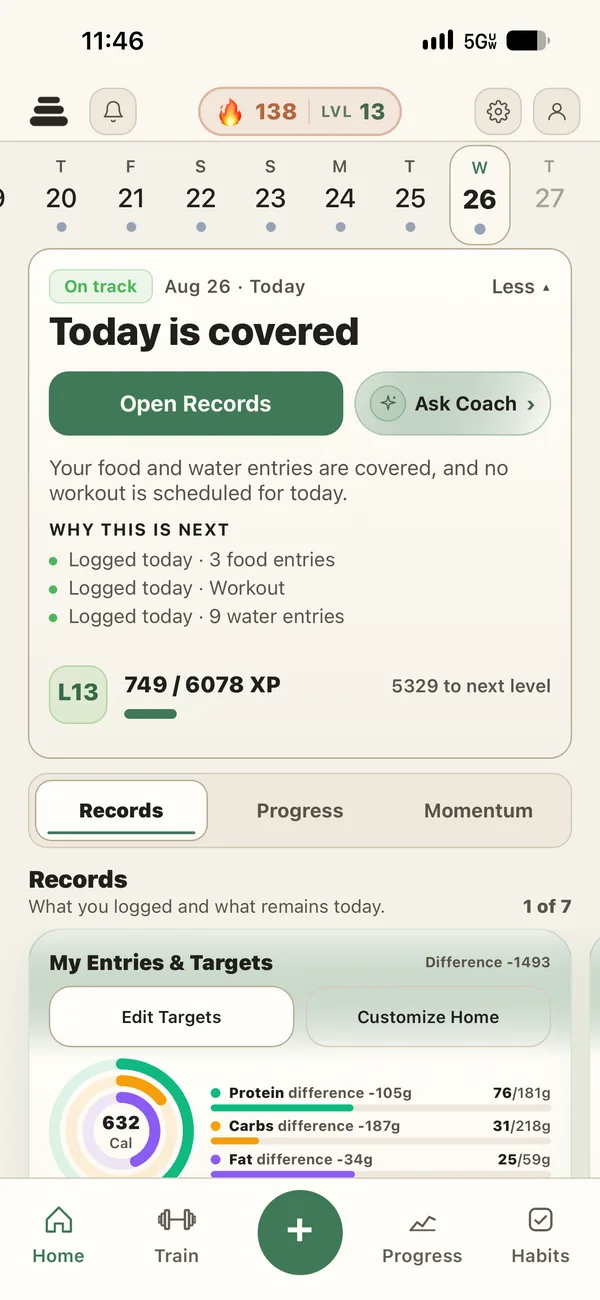
Today
What is logged and what remains.
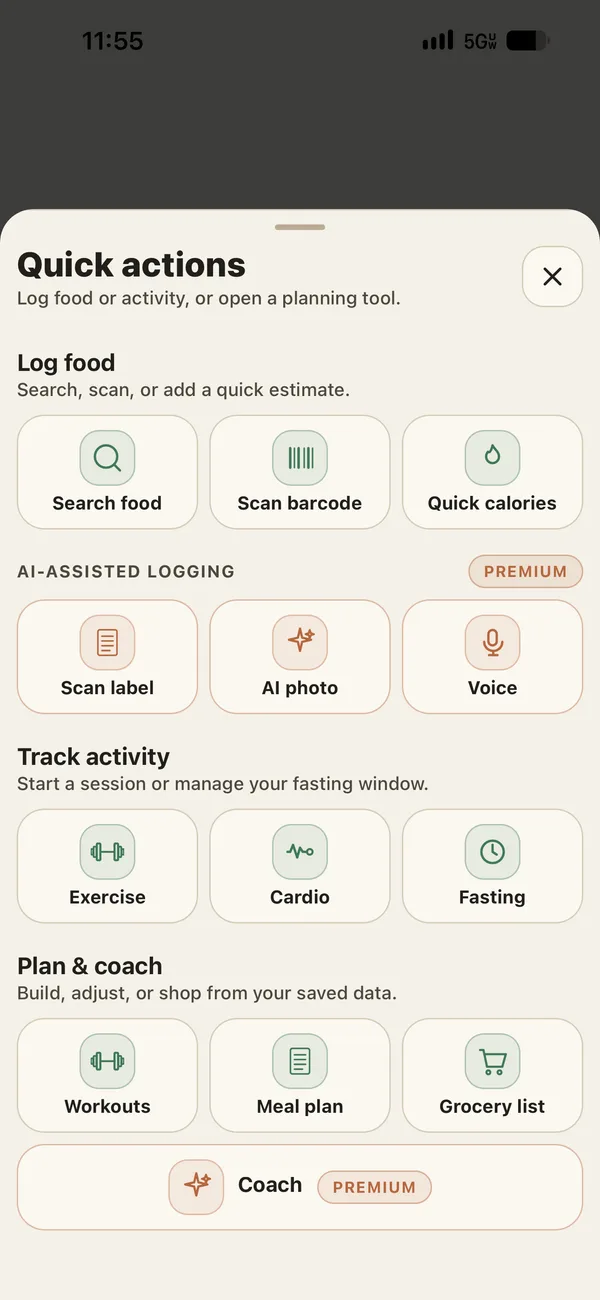
Quick add
Every logging path in one place.
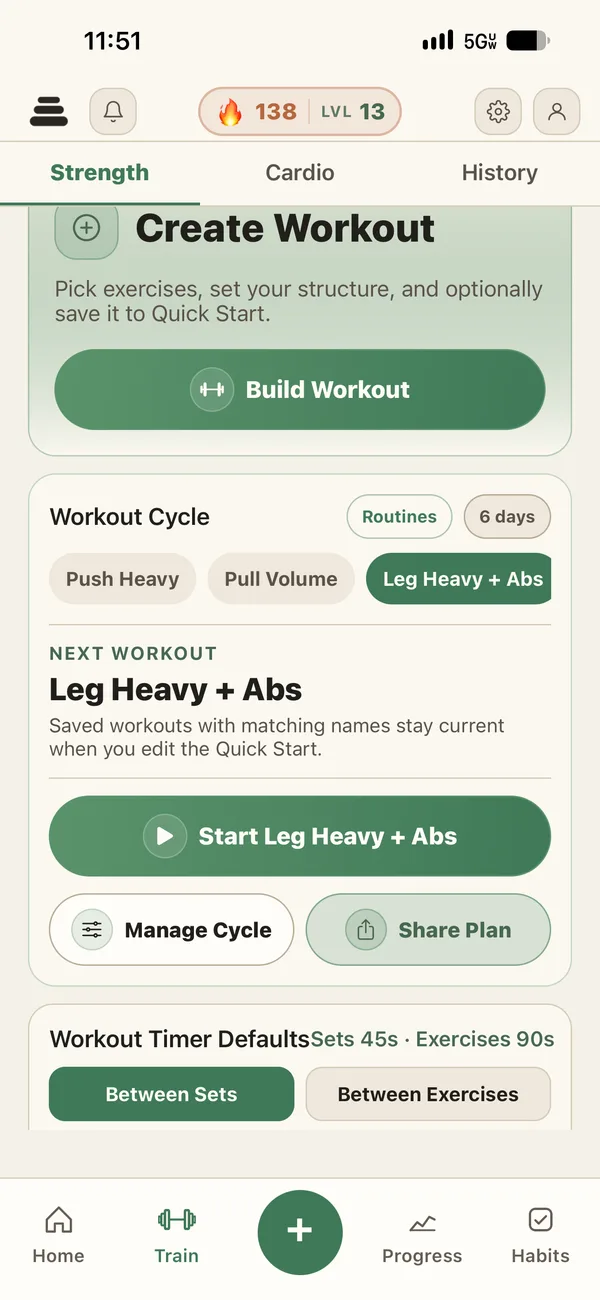
Train
Strength, cardio, and history together.
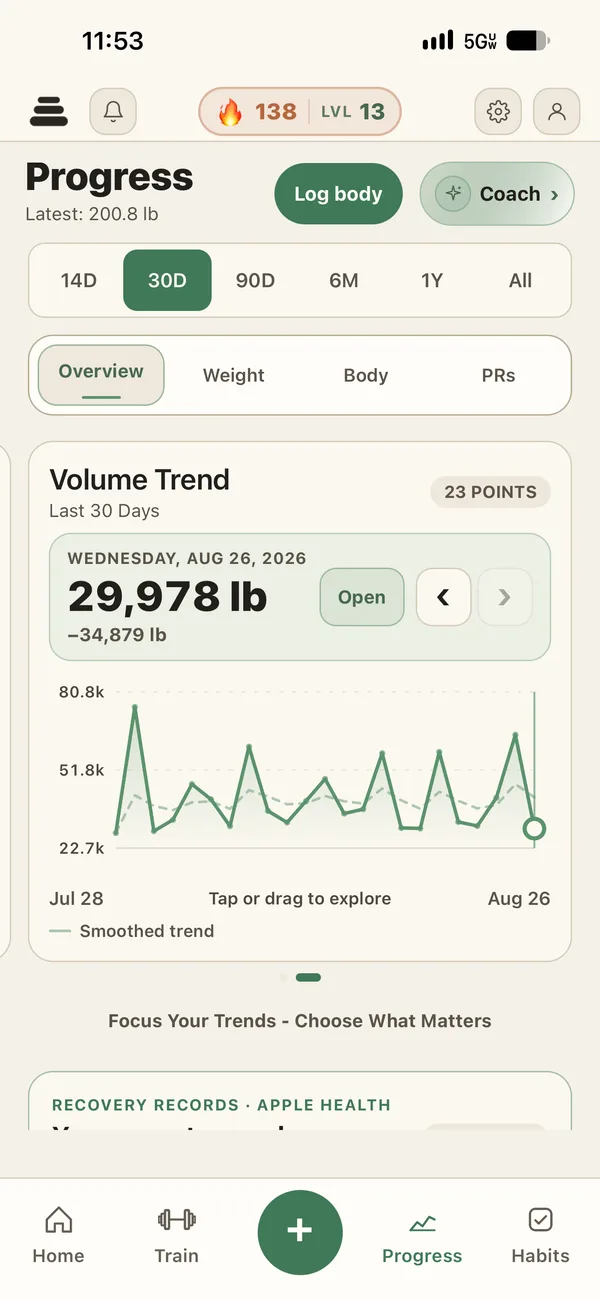
Progress
Trends with the records behind them.
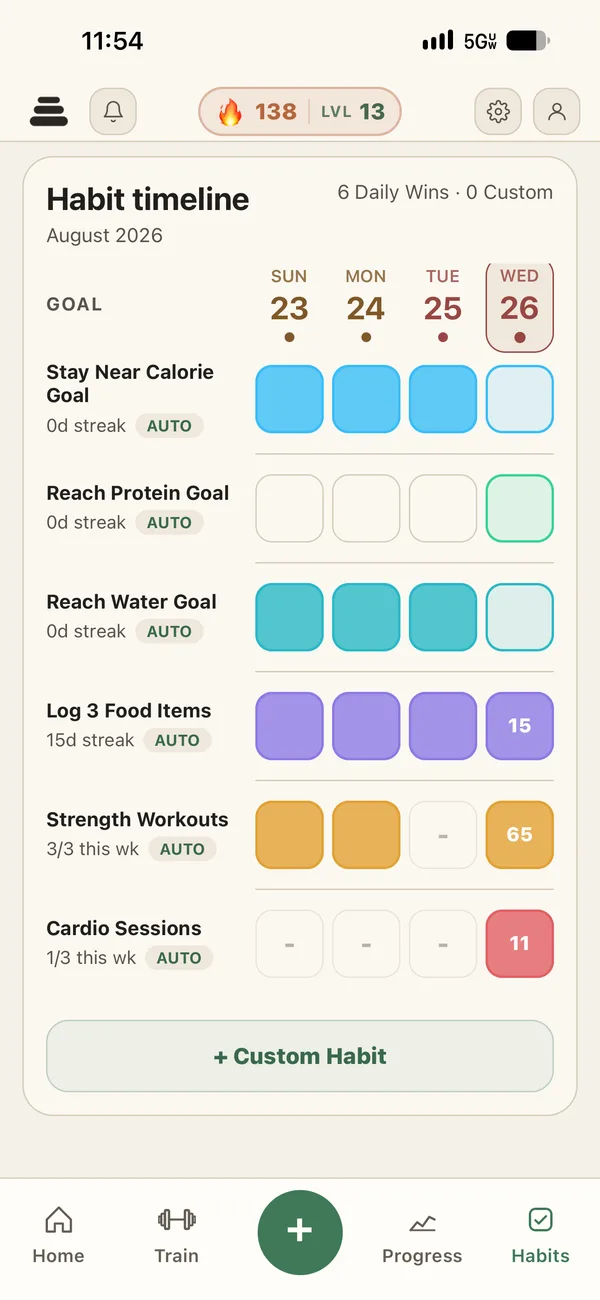
Daily Wins
Routines filled by the work you log.
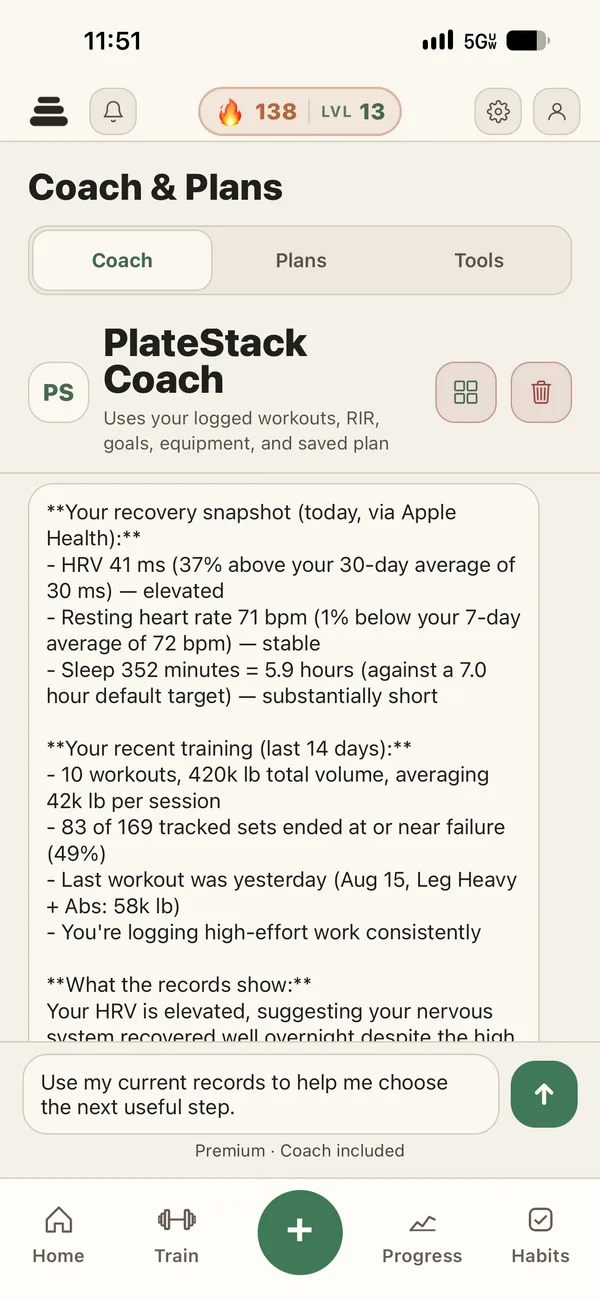
Coach
Editable drafts grounded in your records.
I
Food and nutrition
Choose the fastest honest path for the meal in front of you. Estimates remain estimates until you review them.
- Search and barcode
- Unlimited on Starter.
- Manual and quick calories
- Enter exactly what you know.
- Photo, label, and voice
- Five shared monthly credits on Starter. Included with the paid tier.
- Serving sizes
- Grams, the label serving, or a single piece when the label counts them. Barcode results show their source and year.
- Saved foods, meals, and recipes
- Reuse what you eat often.
- Food schedule
- Premium planning for foods you repeat.
- Meal plan drafts
- Premium plans with editable foods and portions.
II
Strength training
The next set begins with the work you already did, not a blank form.
- Routines and exercise library
- Built in splits, custom exercises, and imported history.
- Set logging
- Weight, reps, RIR, and set type.
- Progressive overload
- Compare against the last relevant work.
- Rest timer and Live Activities
- Keep the timer visible while you move.
- Shared workouts
- Premium collaboration for sending a session.
- Buddy sessions
- Train together from the same record.
III
Cardio
Cardio belongs in the same training history as your lifts.
- Fourteen activity types
- Run to boxing, plus Other for the rest.
- Live timer
- Track a session as it happens.
- Quick entry
- Record a completed session in a few fields.
- Apple Health import
- Optional, on iPhone. Supported cardio records from other apps, shown in the same history.
- Unified history
- Review strength and cardio by date.
IV
Progress and goals
Six ranges help you move from a recent signal to the longer story behind it.
- Six ranges
- 14D and 30D are free. Longer ranges are Premium.
- Body records
- Weight, measurements, body fat, and progress photos.
- Training volume
- Open a trend and inspect the sessions behind it.
- Muscle work
- See when each area last appeared in your working sets.
- Recovery summary
- A summary of your own records against your own baselines. Not a health assessment.
V
Routines and accountability
Track the day without entering the same fact twice.
- Daily Wins
- Automatic wins from meals, protein, calories, water, and workouts.
- Custom habits
- Three active habits on Starter. Unlimited with the paid tier.
- Reminders
- One active reminder on Starter. Unlimited with Premium.
- Hydration
- Log water beside the rest of today.
- Fasting timer
- Core timer free. Advanced protocols with Premium.
VI
League and squads
Accountability for people you know, without a public social feed.
- League board
- Compare personal consistency.
- Squad basics
- Included on Starter.
- Squads you can create
- One on Starter. Unlimited with the paid tier.
- Referrals
- Give fourteen days and receive fourteen days.
- Private sharing
- You choose what leaves your record.
VII
PlateStack Coach
Coach reads the available record, names what it used, and gives you an editable draft.
- Coach chat
- Three monthly messages on Starter. Included with the paid tier.
- Context from your records
- Recent sessions, RIR, goals, equipment, food, and plans when available.
- Editable workout plans
- Review, swap, or resize every draft.
- Meal plan drafts
- Premium plans with editable foods and portions.
- Missing context
- Coach says when the record cannot support a useful answer.
VIII
On your phone and wrist
Today stays visible where you already look. Watch, widgets, and Live Activities are on iPhone; Health Connect is on Android.
- Apple Watch app
- Calorie and protein rings, one-tap saved foods, and the workout you planned, with set logging from the wrist.
- Watch complications
- Calories and protein left, on the watch face.
- Home screen widget
- Calories, protein, water, and saved food actions.
- Lock Screen widgets
- Compact calories and protein context.
- Live Activities
- The rest timer and current set stay on the Lock Screen and in the Dynamic Island.
- Apple Health and Health Connect
- Optional supported records for display and recovery context.
- Recovery records
- No score below two available signals.
- Nine themes
- A readable visual system for different preferences.
- Sign in
- Apple, Google, or email.
- Export and deletion
- Both are available inside the app.
Feature questions.
- Can I log food without AI?
- Yes. Search, barcode, manual entry, saved foods, meals, recipes, and quick calories do not require AI.
- Does recovery compare me with other people?
- No. It uses your own available recent baselines and declines to score when fewer than two signals are available.
- How much progress history is free?
- The 14D and 30D ranges are free. Premium opens the longer ranges and full history.
- What remains free in routines?
- Daily Wins, three active custom habits, one active reminder, hydration, and the core fasting timer.
- Can I export or delete my data?
- Yes. Both controls are inside the app.
Put the whole day in one record.
Start with the free tools. Premium is there when you want the connected planning layer.