A free macro tracker that stays free.
PlateStack counts calories, protein, carbs, and fat on iPhone and Android with no trial clock and no ads. Set macros in grams or percent, scan barcodes as often as you like, and see the day at a glance.

Free to start on iPhone and Android. Premium is $1.99 a month or $14.99 a year, and both plans begin with a seven-day free trial for new subscribers where available. No ads. No data sales.
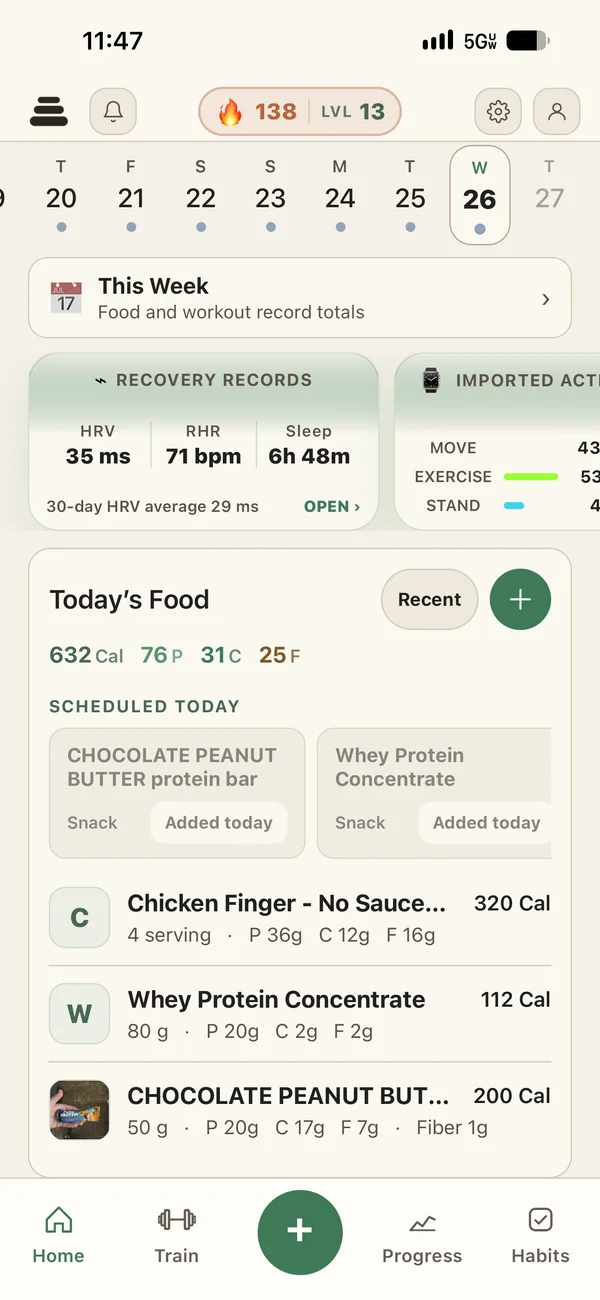
Macros on Starter.
The dashboard, targets, and barcode scanning never expire.
Is there a macro counter app that is actually free?
Free should mean the part you use every day is free. In PlateStack, that is the whole macro loop: set targets, log what you eat, and see calories, protein, carbs, and fat against them. None of it expires, and there are no ads in the way.
Starter is not a trial. It is the version we would want if we never paid for anything, and the limits are written down so you can check them before you install.
-
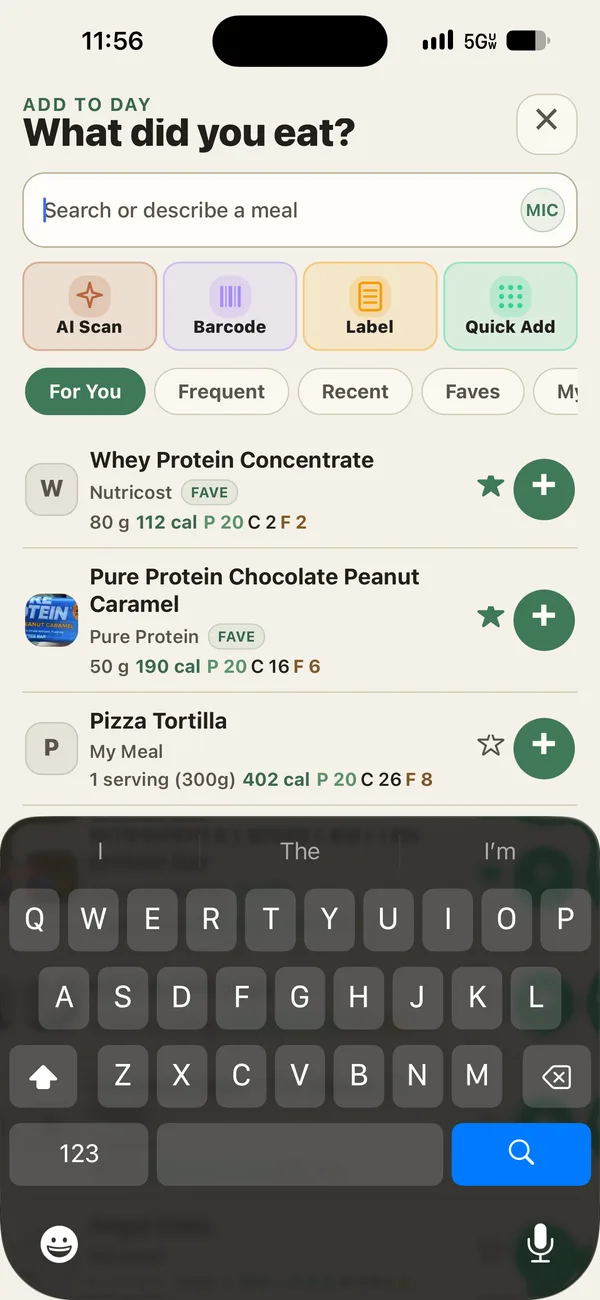
Barcode and search
Unlimited on Starter, with serving sizes you can adjust before saving.
-
Saved foods, meals, and recipes
Unlimited on Starter. A recipe works out its macros per serving from the ingredients.
-
Quick calories
When you only know the number on a menu, log that and move on.
How do I set my macro targets?
Open Nutrition Targets and enter calories and macros in grams. If you think in ratios, switch to percent and PlateStack works out the grams from your calorie target. A calculator can suggest a starting point from your details; you review it before anything is saved.
If you count net carbs, turn it on in nutrition preferences. Your carb target then counts net carbs and fiber is subtracted from what you log. You can also split the day across breakfast, lunch, dinner, and snacks, so each meal has its own share of the target.
Targets are estimates, and so are the numbers on any label. Treat them as a starting point you adjust, not a verdict.
How do you log macros quickly?
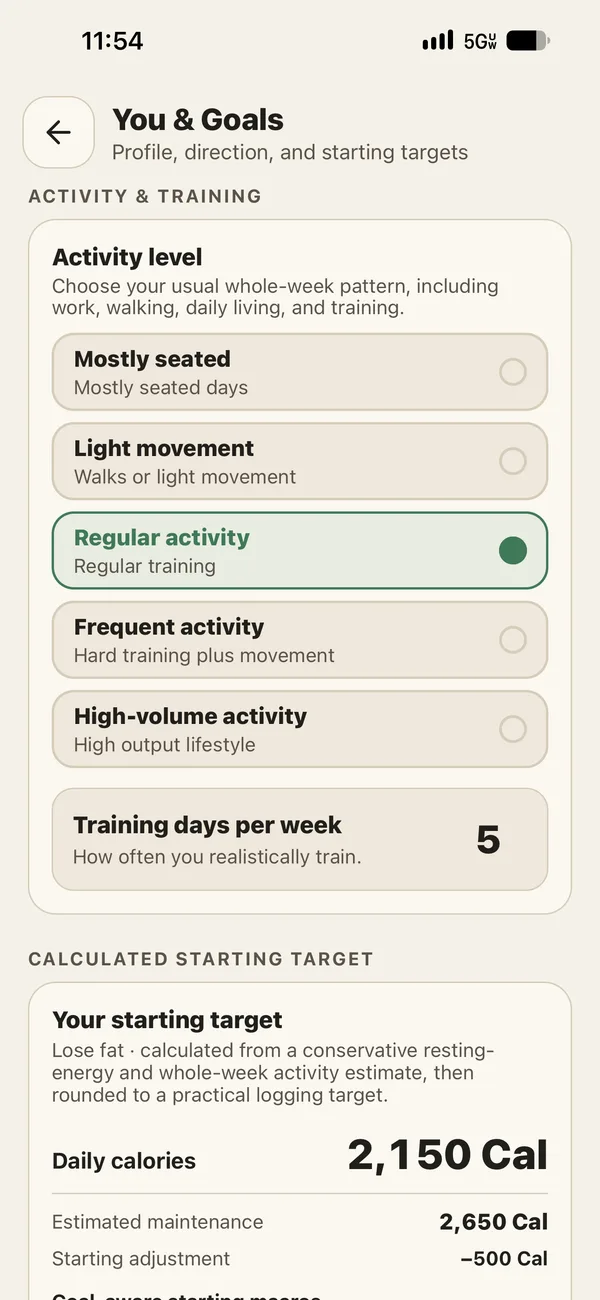
The fastest entry is the one you already made. Once your regular meals are saved, logging them is a tap. For everything else, pick the path that suits the moment.
Starter also includes five AI credits a month, shared across photo, label, voice, and typed estimates. Every estimate is labeled and stays editable until you save it, because an estimate can be wrong.
-
Scan a barcode
Packaged food, matched to its label serving. Switch to grams, or to a single piece when the label counts them.
-
Search or type it
Look it up, or enter the macros yourself.
-
Photo, label, or voice
Optional AI estimates, on credits with Starter and included with Premium.
Why doesn’t PlateStack reward hitting your macros?
Because we want the record to be complete, not flattering. The daily score counts whether you logged a meal, whether you trained, and how many of your habits you finished. Reaching a calorie or protein target earns zero XP, by design.
That matters most on the days you go over. An app that rewards the number teaches you to skip logging a bad day. PlateStack rewards showing up, so the bad day gets logged and your weekly picture stays honest.
Macro questions.
- Is PlateStack a free macro tracker?
- Yes. Starter is free forever and includes the daily macro dashboard, macro targets, unlimited barcode scanning and food search, and unlimited saved foods, meals, and recipes.
- Can I set macros in grams or percentages?
- Both. Enter protein, carbs, and fat in grams, or switch to percent and PlateStack works out the grams from your calorie target.
- Does PlateStack support net carbs?
- Yes. Turn on net carbs in nutrition preferences and your carb target counts net carbs, with fiber subtracted from what you log.
- Do I need AI to track macros?
- No. Search, barcode, manual entry, quick calories, saved foods, meals, and recipes all work without AI. The five monthly AI credits on Starter are optional.
- Are there ads in the free version?
- No. PlateStack has no ads on any plan and does not sell your data.
- Is the macro tracker on Android?
- Yes. PlateStack runs on iPhone and Android phones. On iPhone, the Apple Watch app and widgets also show calories and protein left.
Count macros for free.
Install Starter, set your targets, and log one meal. Premium is there if you ever want Coach and planning.