Progress you can trace back to the record.
A body-weight trend that ignores the noise, measurements and photos, training trends, and a weekly review that tells you what actually happened. The 30-day view is free.


Free: unlimited food search, barcode scanning, and workout logging. No ads.
Premium: $1.99/month or $14.99/year for Coach, AI logging, and full history. 7-day free trial for new subscribers where available.
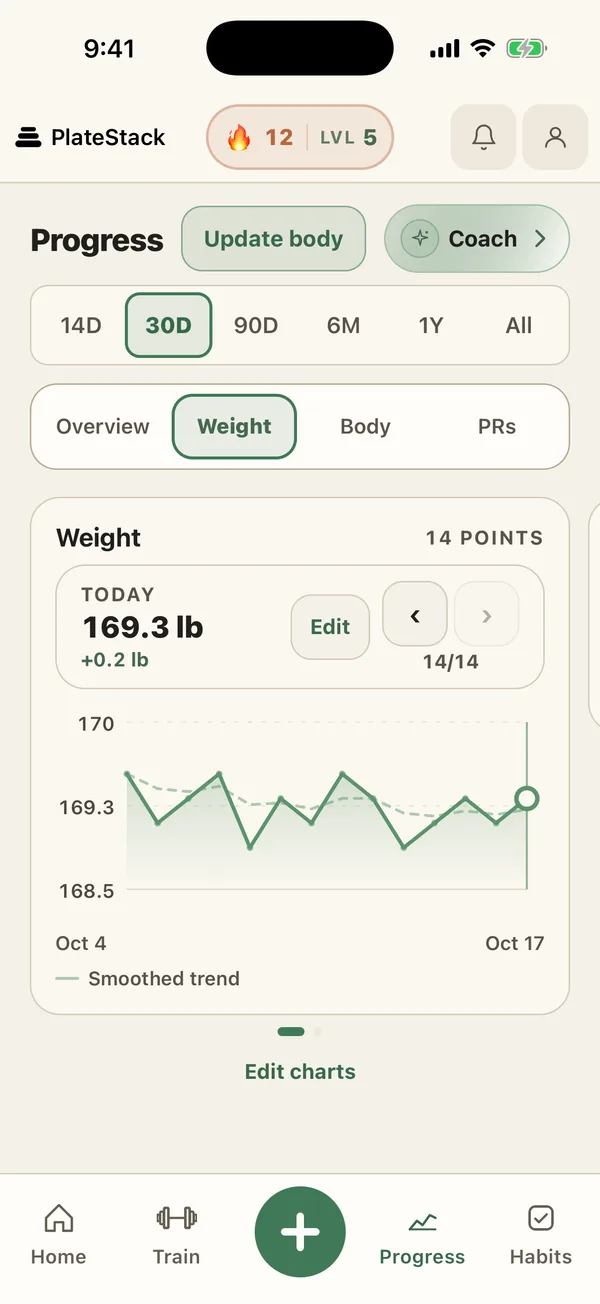
- Smoothed trend
- Daily weigh-ins with a trend line beside them.
- Body records
- Body fat, six measurements, and photos. Free.
- Your Week
- Training, food, and PRs against the week before.
- Ranges
- 14 and 30 days free; longer with Premium.
How does the body-weight chart work?
Weigh in, tap Update body, and your entry joins the chart. A smoothed trend line runs beside your daily entries, so one heavy morning does not look like a setback. Step through your entries and edit any of them.
Pick a range: 14 days, 30 days, 90 days, 6 months, a year, or all of it. Your goal weight, if you set one, sits on the same view, along with the change over the range.
What else can I track besides weight?
Body fat, measurements for chest, waist, hips, arms, thighs, and neck, and progress photos with a before-and-after compare. All of it is free, and photos are stored privately in your account.
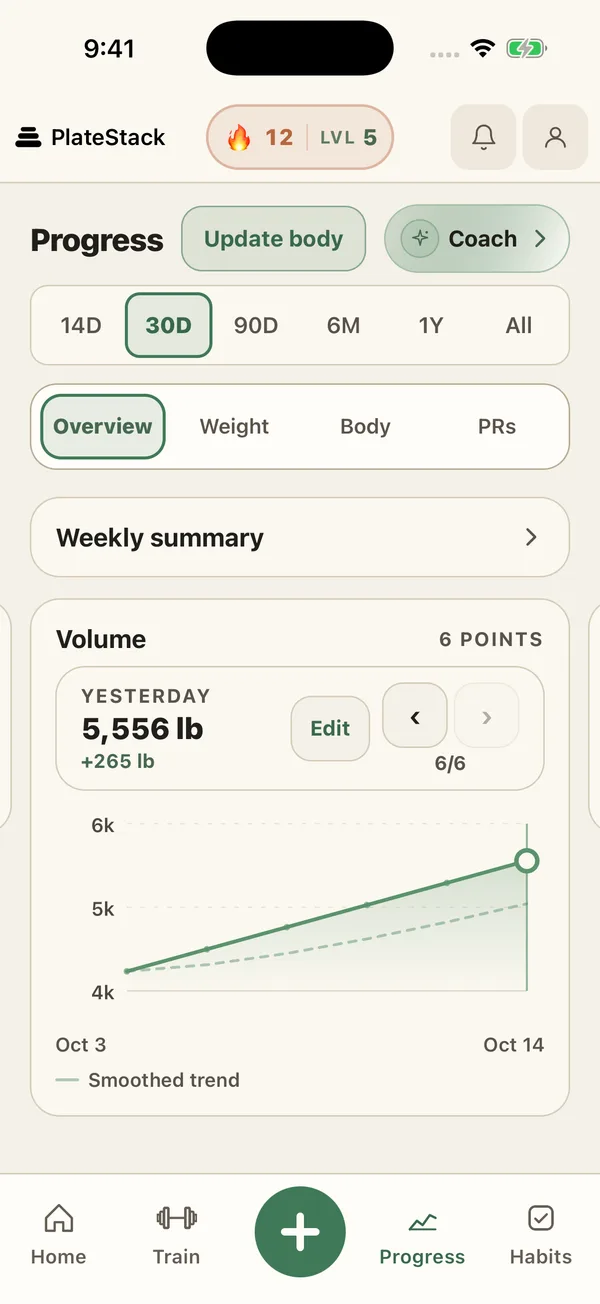
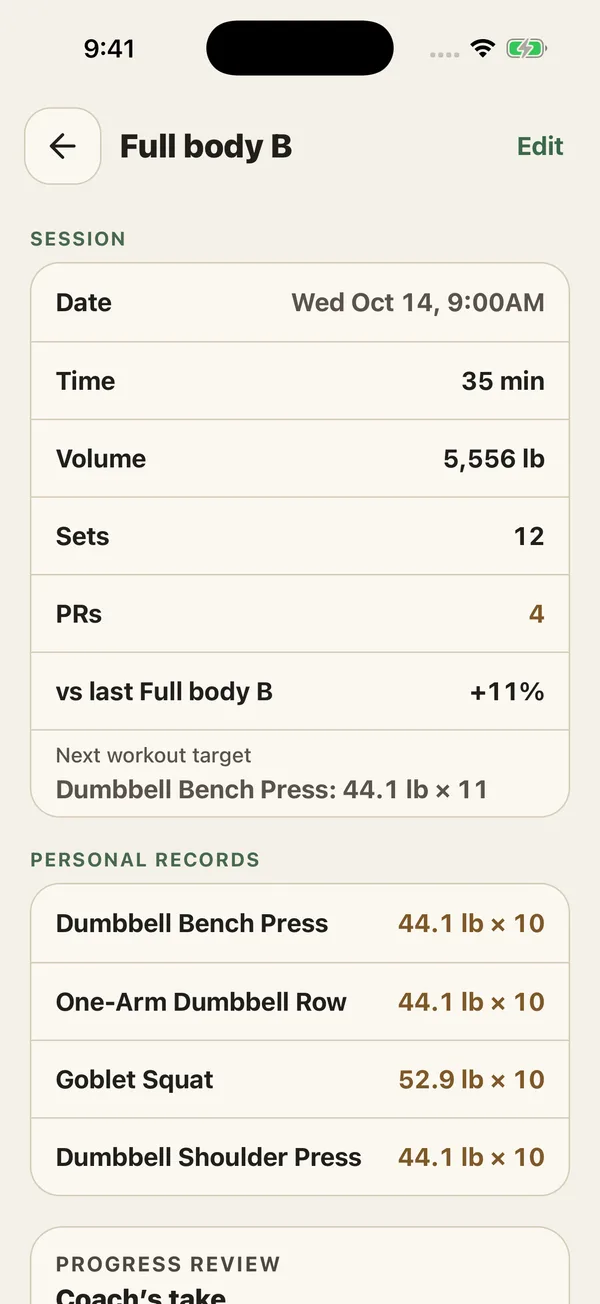
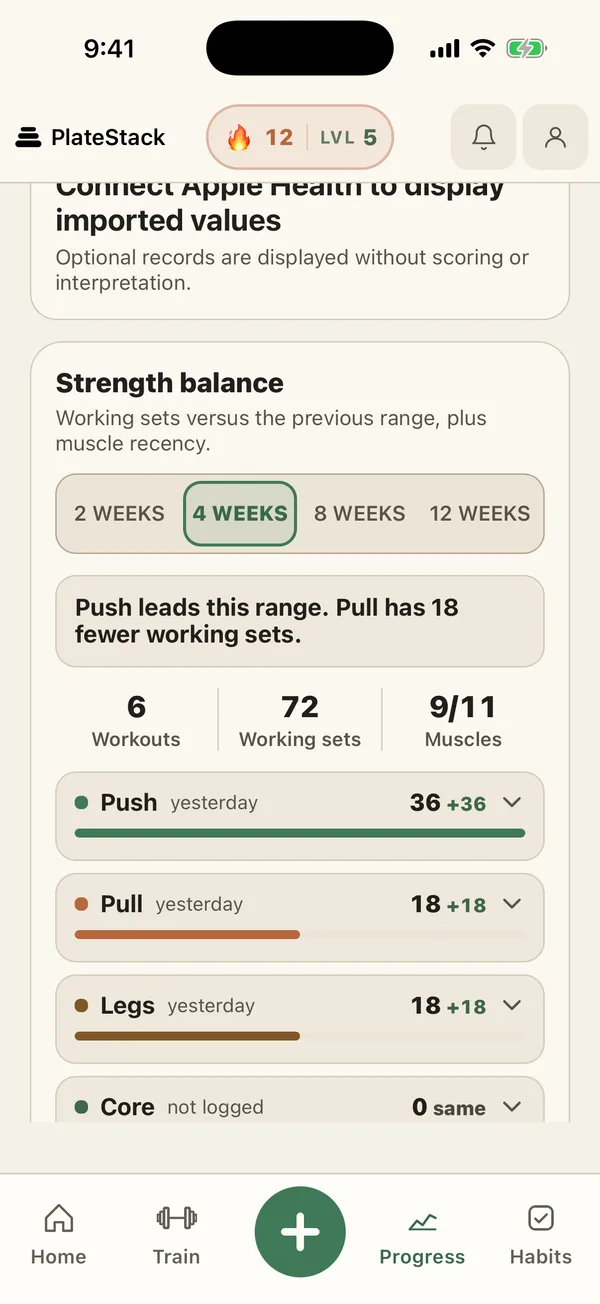
Training gets its own views: a volume trend, a PR board for every lift, strength balance, a muscle map, and a heatmap of the days you trained. Tap a trend and the sessions behind it are right there. More on those in the strength training log.
What is in the weekly review?
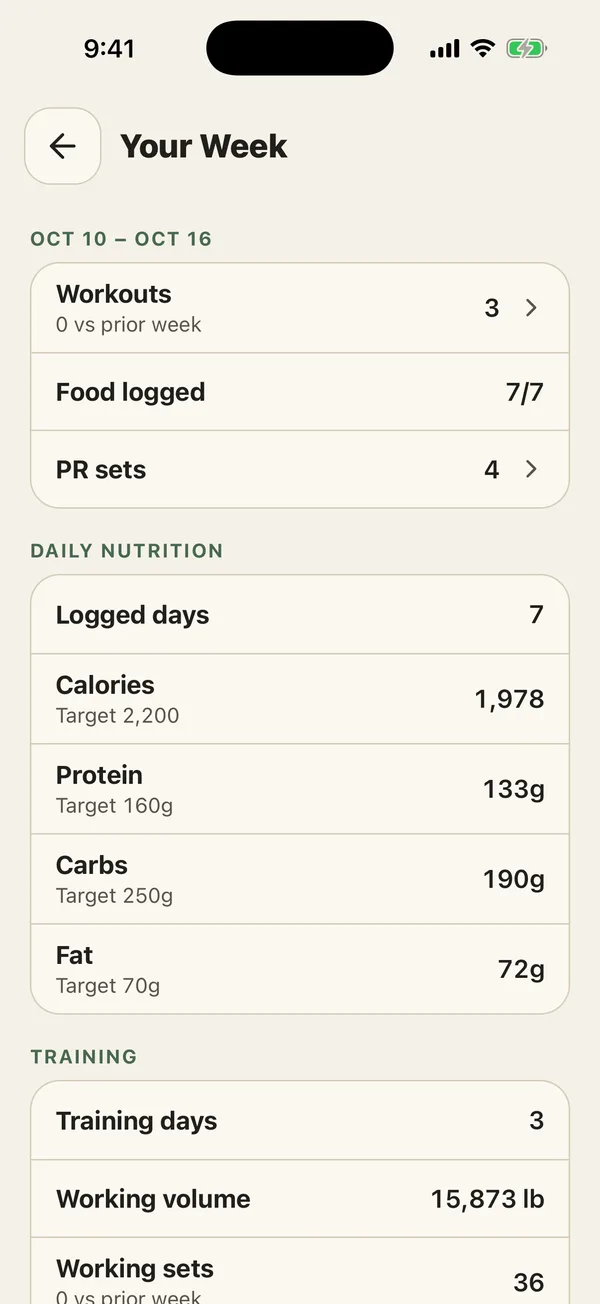
Your Week looks at the last seven full days and compares them with the seven before. It answers the questions we actually ask on a Sunday: did I train, did I log, and where did my food land?
Pick any day in the summary to see that day’s food entries and workouts. Today shows separately as “today so far”, so an unfinished day never drags the week down.
-
Training
Workouts, training days, working sets, and volume against the week before.
-
Food
Days you logged out of 7, and average calories, protein, carbs, and fat beside your targets.
-
PRs
How many sets set a personal record.
How do I use progress tracking well?
A trend needs a few weeks of entries before it means much, so weigh in under similar conditions, for example after waking, and compare weeks, not days.
- Weigh in at a similar time each day, or as often as suits you.
- Read the trend line, not the single point.
- Check Your Week once a week, then pick one thing to keep or change.
- Take a progress photo now and then. The compare view does the rest.
What does the weekly coaching check-in add?
With Premium, Review with Coach opens a weekly check-in. It is plain arithmetic on your logs, not AI. If your record supports it, it may propose a small calorie change, never more than 3% or 150 calories, whichever is smaller. Nothing changes unless you approve it, and a habits-only mode never touches your targets.
For questions about your week, ask PlateStack Coach.
Swipe to see both tiers.
| Feature | Starter ($0) | Premium |
|---|---|---|
| Progress history | 30 days | Full history |
| Body measurements, weight, and body fat | Yes | Yes |
| Progress photos | Yes | Yes |
| Weekly log summary | Yes | Yes |
| Weekly coaching check in | No | Yes |
Premium is $1.99 a month or $14.99 a year. The pricing page lists every feature on both tiers.
Common questions.
- How much progress history is free?
- The 14-day and 30-day ranges. Premium opens 90 days, 6 months, 1 year, and all of your history.
- What is the smoothed trend line on the weight chart?
- A weighted average that leans on your most recent weigh-ins, so one high or low morning does not swing the line. Your daily entries stay on the chart beside it.
- Are progress photos private?
- Yes. They are stored privately in your account and opened through short-lived links, and they are never sent to the Coach. Progress photos and before-and-after comparison are free.
- Is the weekly summary free?
- Yes. Your Week, with workouts, days of food logged, PR sets, and average calories and macros against your targets, is free on Starter. The weekly coaching check-in that can suggest a calorie change is Premium.
- Can I import my weight from a smart scale?
- If your scale writes to Apple Health or Health Connect, yes. On iPhone, PlateStack imports up to 12 months of weight and body-fat history once you connect; on Android it reads your latest weight and body fat.
Start the trend today.
Install PlateStack and log a weigh-in. In a week, Your Week has something to say.
Free: unlimited food search, barcode scanning, and workout logging. No ads.
Premium: $1.99/month or $14.99/year for Coach, AI logging, and full history. 7-day free trial for new subscribers where available.