Every set starts from the last one.
Log weight, reps, and RIR with last session on screen, catch PRs as they happen, and see which muscles you have trained this week. Free on iPhone and Android.


Free: unlimited food search, barcode scanning, and workout logging. No ads.
Premium: $1.99/month or $14.99/year for Coach, AI logging, and full history. 7-day free trial for new subscribers where available.
- Last time on screen
- Previous sets sit under every row.
- Automatic PRs
- Estimated one-rep max, warmups excluded.
- Muscle map
- See what you trained and when.
- Free
- The whole log is on Starter.
How do I log a strength workout?
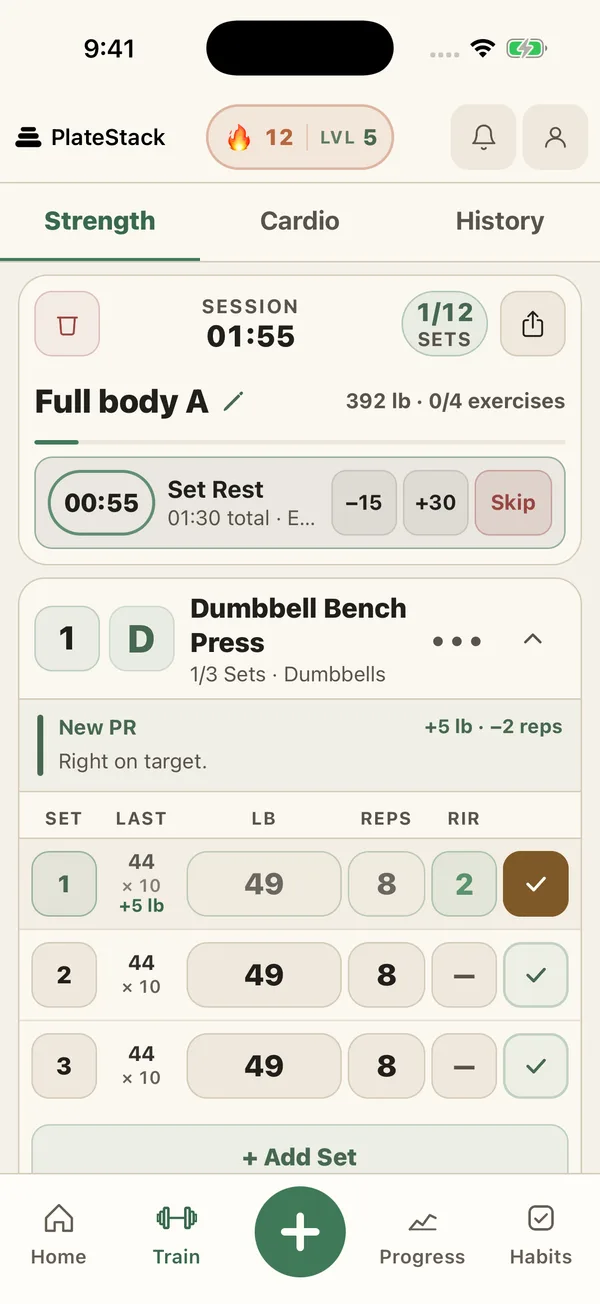
Start a template or your next planned day, and every exercise opens with last session’s sets under each row. Enter weight and reps, add RIR (reps in reserve) if you track effort, and tick the set. The rest timer starts on its own.
Mark a set as warmup, drop, failure, or rest-pause when it matters. Warmups stay out of your PRs and weekly volume. Link exercises into a superset, or three or more into a giant set.
-
Rest timer
90 seconds between sets and 3 minutes between exercises by default. Adjust either, or add 30 seconds mid-rest.
-
Plate calculator
Shows which plates go on each side for the weight you entered, in pounds or kilograms.
-
Lock Screen
On iPhone, a Live Activity shows the rest countdown with +30s, Skip, and Log set. Android shows a notification.
How do I use it for progressive overload?
Progressive overload means doing a little more over time: a bit more weight, another rep, or another set. The log makes that easy to see, because the last session is on screen before your first set.
CDC guidance for adults is muscle-strengthening activity on 2 or more days a week, working all the major muscle groups. The muscle map and strength balance below show whether your week covers them.
- Beat one number from last time: weight, reps, or a set.
- Log RIR so you can tell an easy set from a hard one.
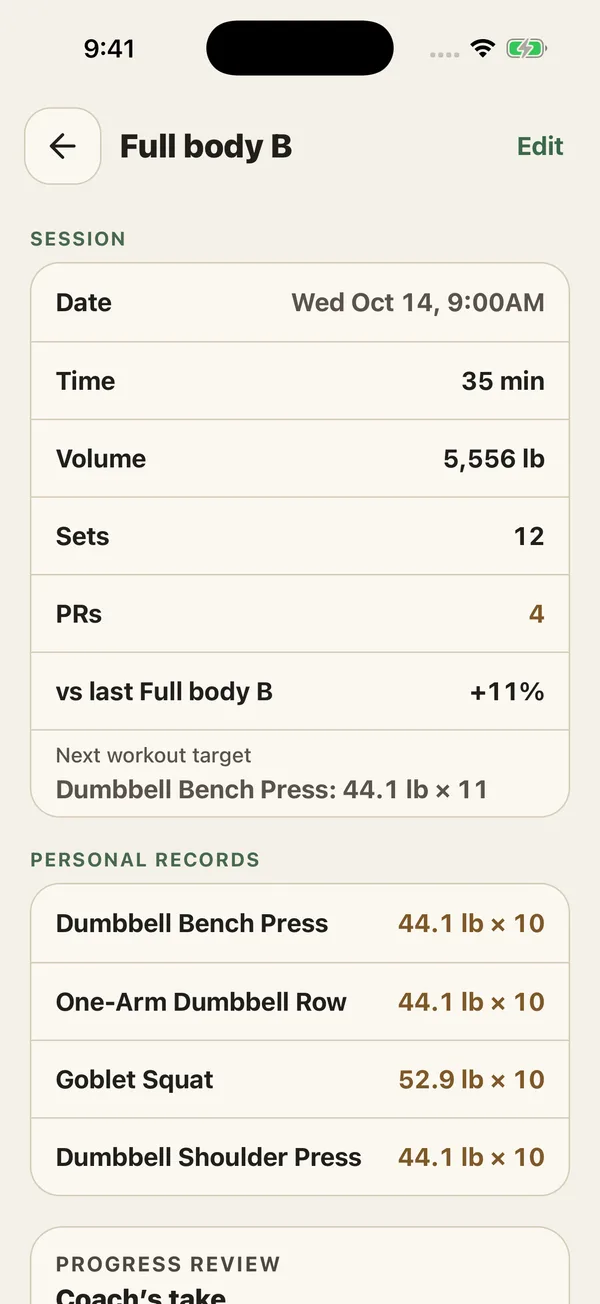
- Check the workout summary. It shows volume, PRs, and the change from your last session of that workout.
- Use the next-workout target it suggests, or set your own.
How do templates and routines work?
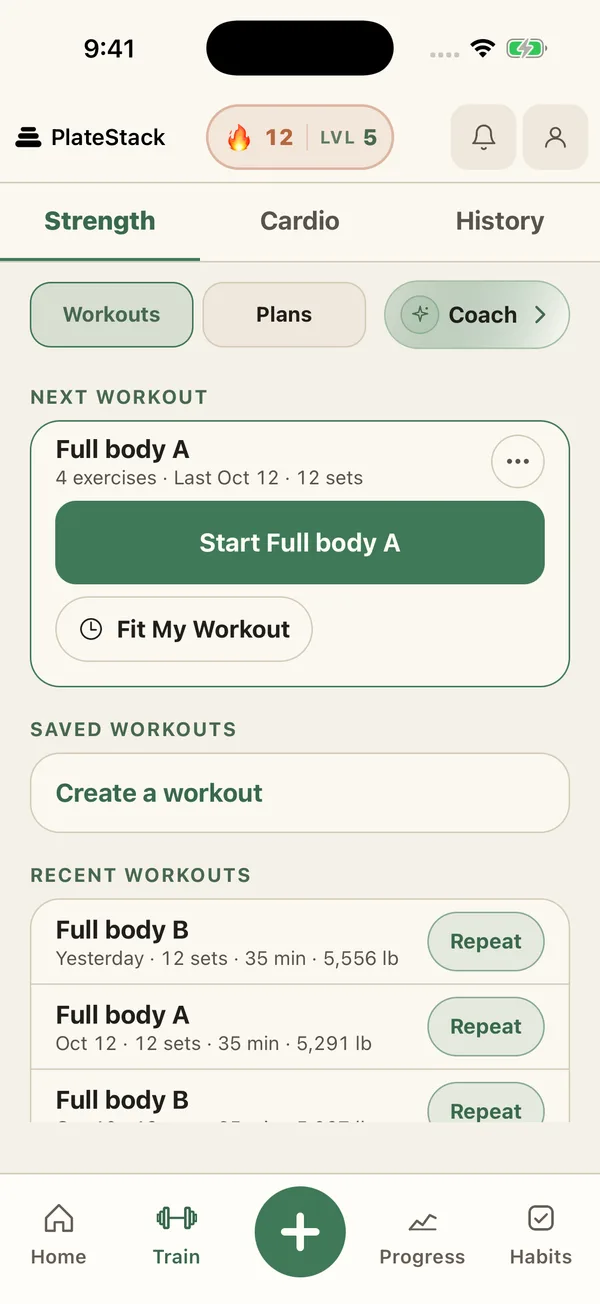
Finish a workout and PlateStack asks whether to save it as a template. Or start from a built-in routine: Full Body (3 days), Upper / Lower (4 days), Push / Pull / Legs (6 days), or Dumbbells Only (3 days). Your next planned day waits on the Train tab.
Short on time? Fit My Workout trims a planned day to the minutes you have, from 10 to 120, and to the equipment around you. Want a plan written for you? PlateStack Coach drafts an editable one.
What do the muscle map and strength balance show?
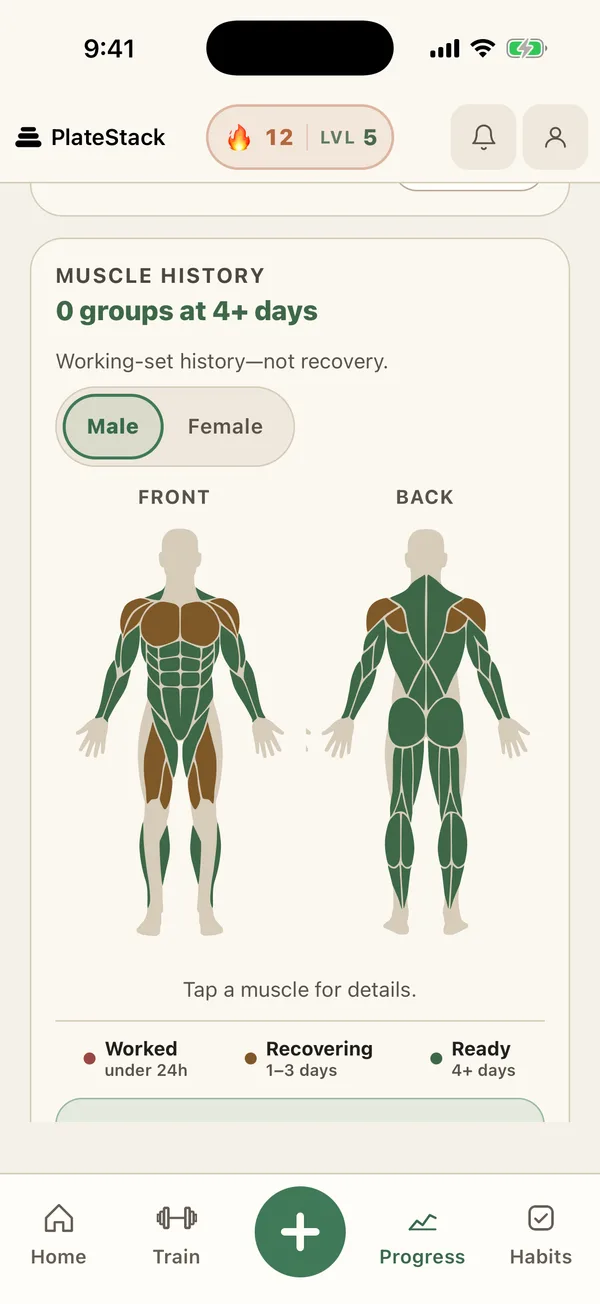
The muscle map colours each muscle group by when you last trained it: worked in the last 24 hours, 1 to 3 days ago, or ready at 4 days or more. Tap a muscle to see when. It is built from your logged sets, so it shows what you did, not how you feel.
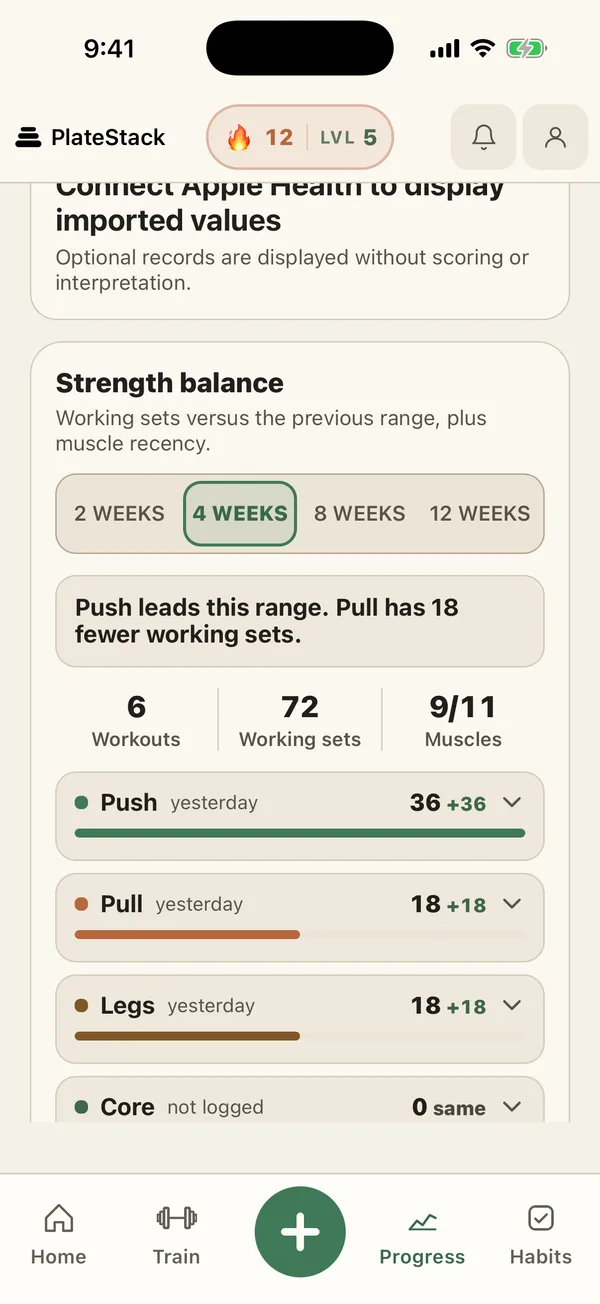
Strength balance counts your working sets for push, pull, legs, and core, and compares them with the range before. If pull falls behind push for a month, you see it here before you feel it. Starter looks back up to 4 weeks.
Common questions.
- How does PlateStack detect a personal record?
- A working set is a PR when its estimated one-rep max beats your best for that exercise. PlateStack estimates it with the Epley formula, weight × (1 + reps ÷ 30). Warmup sets never count.
- What does the muscle map show?
- When you last trained each muscle group: worked in the last 24 hours, 1 to 3 days ago, or 4 or more days ago. Tap a muscle to see the date. It shows recency from your logs, not recovery or soreness.
- Can I import my workouts from Strong or Hevy?
- Yes. Export a CSV from Strong, Hevy, or a similar app, paste it into Settings › Import Workouts, and choose your weight unit.
- Do I need an Apple Watch?
- No. Everything works on the phone. With an Apple Watch paired to your iPhone you can start your planned workout and log sets from your wrist.
- Is the strength log free?
- Yes. Set logging, templates, built-in routines, the rest timer, the plate calculator, PRs, the muscle map, and CSV import are all on the free Starter tier.
Sources
- Adult Activity: An Overview (Centers for Disease Control and Prevention)
Log your next session here.
Install PlateStack, pick a routine or import your history, and log tonight’s workout.
Free: unlimited food search, barcode scanning, and workout logging. No ads.
Premium: $1.99/month or $14.99/year for Coach, AI logging, and full history. 7-day free trial for new subscribers where available.