A barcode scanner with no scan limit.
Scan packaged food, check the source, set the portion, and log it. Unlimited and free on iPhone and Android, with no ads.


Free: unlimited food search, barcode scanning, and workout logging. No ads.
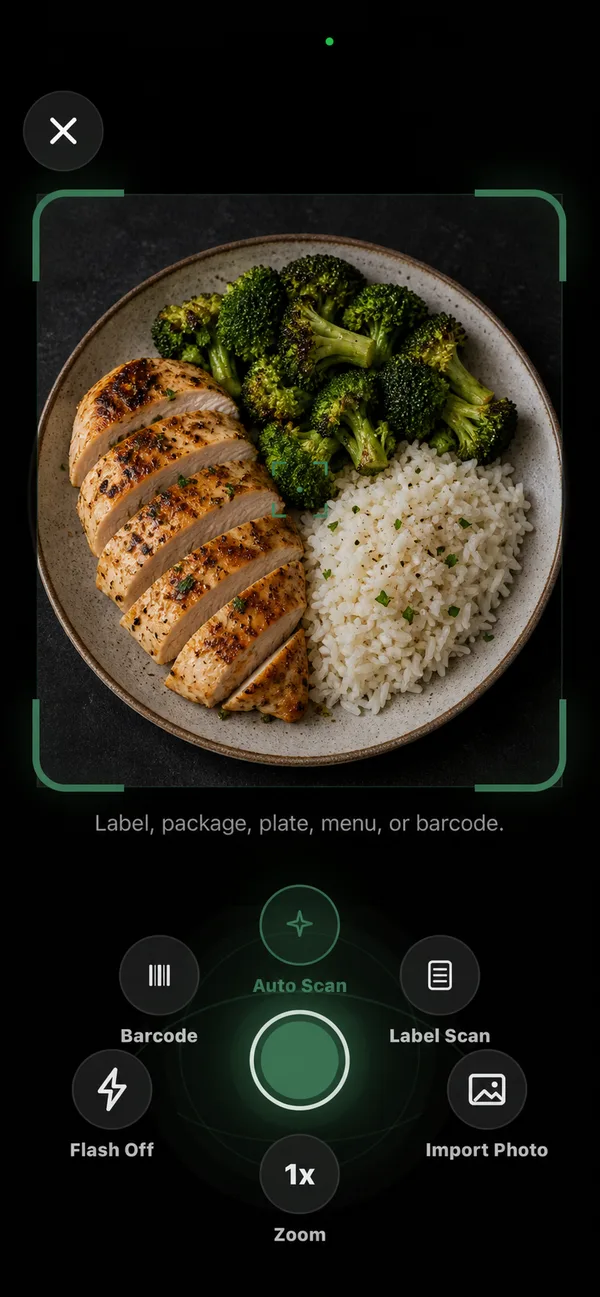
Unlimited scans.
Free on Starter, with the source shown on every match.
Is there a barcode scanner that is free?
Yes. In PlateStack the barcode scanner is part of the free Starter tier with no limit on scans and no ads between you and the food. The camera permission is requested only the first time you scan.
How does a scan work?
Point the camera at the barcode. PlateStack looks the number up in three food databases at once and keeps a match whose calories add up from its protein, carbs, and fat. You see the food with its source and year, then a confirm screen where you set the portion before it is saved.
-
Three sources at once
FatSecret, Open Food Facts, and USDA FoodData Central are asked together.
-
Sanity check
A result whose calories contradict its macros is thrown out.
-
You confirm
Nothing is logged until you accept the portion.
What if the barcode is not found?
Scan the nutrition label instead, scan again, or search by name. Label scans are an optional AI estimate that uses a credit: five a month are free on Starter. Barcodes themselves never do.
Text version
The food search opens and “greek yogurt” is typed. A result is opened, and the serving wheel is turned to two servings. The calories and macros on screen update as the wheel turns.
What is free and what needs Premium?
All of the barcode flow is free. Premium covers AI logging beyond the free credits, recipe import, and planning.
| Feature | Starter ($0) | Premium |
|---|---|---|
| Food search, barcode scanning, and manual logging | Yes | Yes |
| Nutrition label scan | 5 monthly AI credits shared across photo, label, and voice | Included |
| Saved foods, meals, and recipes | Yes | Yes |
The pricing page lists every feature on both tiers.
Scanner questions.
- Is the barcode scanner free in PlateStack?
- Yes. Barcode scanning is unlimited on Starter, which is free forever, and it never uses an AI credit.
- What happens if a barcode is not found?
- PlateStack offers to scan the nutrition label instead, scan again, or search by name. Nothing is logged until you confirm it.
- Where do the nutrition numbers come from?
- PlateStack asks FatSecret, Open Food Facts, and the USDA’s FoodData Central at the same time. The match shows its source and year, so you can see how current it is.
- Can a scan be wrong?
- Yes. Packaging changes and databases lag. PlateStack throws out a result whose calories do not add up from its macros and always shows a confirm screen, with a Verify with label button when the numbers look off.
- Does the scanner upload my camera image?
- No. A barcode scan looks up the number it reads. A label or photo scan is a different, optional feature that does send a reduced copy of the photo for an estimate.
- Does it work on Android?
- Yes. Barcode scanning works on iPhone and Android.
Scan your next snack.
Install Starter and scan the next thing you eat. It never costs anything.