A free intermittent fasting app with a 16:8 timer.
Pick a window, start the clock, and see how long you have fasted and how long is left. Free on iPhone and Android, with the Lock Screen clock on iPhone.


Free: unlimited food search, barcode scanning, and workout logging. No ads.
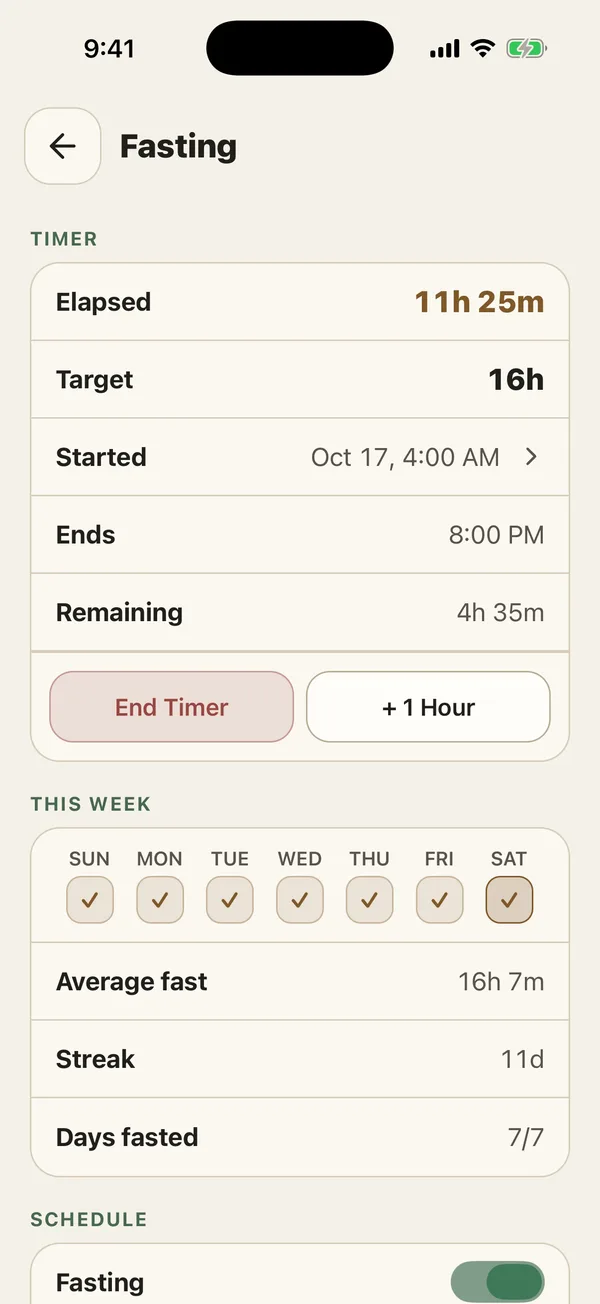
Time fasted and time left.
The timer and your last seven fasts are free.
What does the fasting timer show?
Start a fast and PlateStack counts how long you have been fasting, how long is left against the window you chose, and when it ends. Below it are the week’s completed fasts and your schedule, such as 16:8.
Text version
The fasting timer opens from PlateStack Home, eleven hours into a 16-hour fast. The screen then scrolls down to the week’s completed fasts and the 16:8 schedule.
What is free?
The timer, custom lengths, This Week, and your last seven fasts. Presets beyond the basics, the history charts, and your full history need Premium.
| Feature | Starter ($0) | Premium |
|---|---|---|
| Fasting timer | Yes | Yes |
| Advanced fasting protocols and analytics | No | Yes |
| Hydration log | Yes | Yes |
The pricing page lists every feature on both tiers.
Can I check it without opening the app?
On iPhone, yes: the fast appears on the Lock Screen and in the Dynamic Island with the elapsed clock and the time left. At the target it keeps counting up instead of disappearing. See Live Activities.
A note before you fast.
Fasting is not right for everyone. PlateStack records the window you pick and gives no advice about it. If you have a medical condition, take medication, are pregnant, or are recovering from an eating disorder, get guidance from a doctor or registered dietitian first. Read the full fasting tracker guide.
Fasting questions.
- Is the fasting timer free?
- Yes. The timer, custom fast lengths, This Week, and your last seven fasts are free on Starter. The 18:6, 20:4, OMAD, and 5:2 presets and the longer history are Premium.
- Does the timer keep running when the app is closed?
- Yes. The fast is stored with its start time, and on iPhone a Live Activity shows the clock on the Lock Screen and in the Dynamic Island.
- Which fasting window should I use?
- PlateStack does not recommend one. It times the window you choose and shows your history. If you have a medical condition, take medication, are pregnant, or have a history of disordered eating, talk to a doctor or registered dietitian first.
- Does fasting count toward my streak or score?
- Fasting duration can be an automatic habit. Scores and XP reward logging, not the length of a fast.
- Is the fasting timer on Android?
- Yes. The timer works on iPhone and Android. The Live Activity is iPhone only.
Start your next fast here.
Install Starter and start the timer. It never costs anything.