Bring your Strong or Hevy history.
Export a CSV from the app you use now, paste it into PlateStack, and check the preview. Free, and nothing is saved until you say so.


Free: unlimited food search, barcode scanning, and workout logging. No ads.
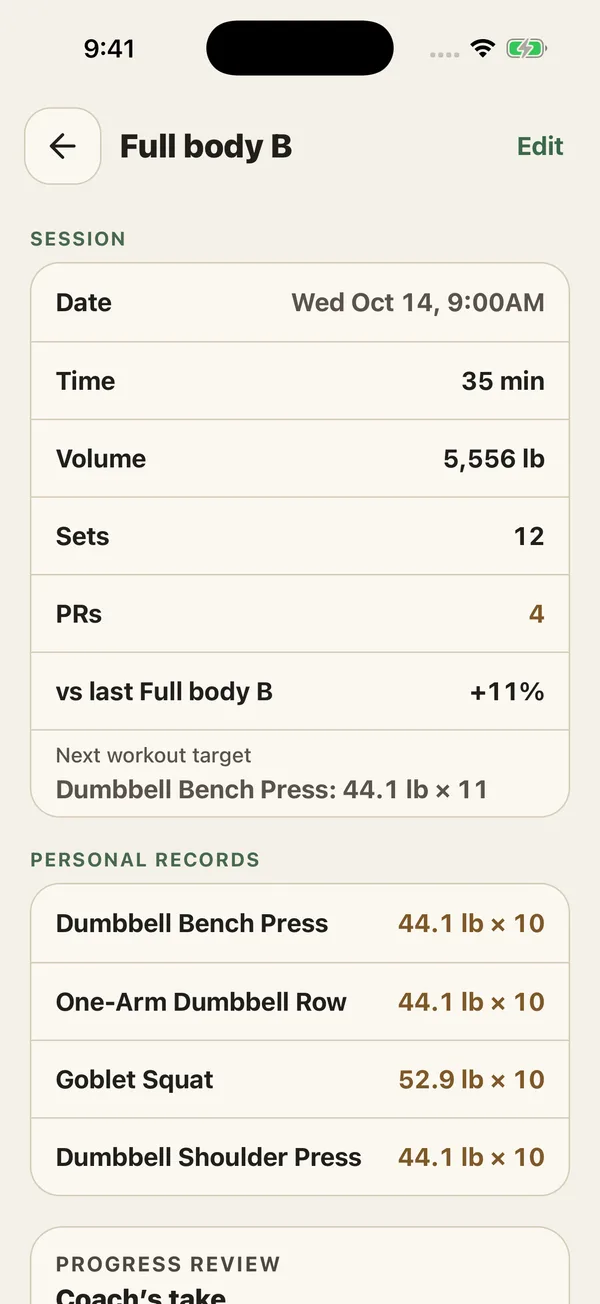
Years of sessions.
Preview first, then import. Duplicates are skipped.
How do I move my workout history over?
Four steps, and nothing is saved until you have seen the preview.
-
1. Export a CSV
From Strong or Hevy, export your workout history as a CSV file. Look in that app’s settings or account page.
-
2. Open Import Workouts
In PlateStack, go to Settings, then Import Workouts.
-
3. Choose the unit and paste
Pick pounds or kilograms for the weights in the file, then paste the CSV.
-
4. Read, check, import
Tap Read this file. The preview shows the workouts, the dates, and anything it could not read. Import when it looks right.
How does PlateStack read the file?
It matches columns by name instead of assuming one fixed layout, so a renamed column does not make the whole file unreadable. A file needs an exercise, a rep count, and a date. Everything else, such as weight, sets, and RIR, comes in when it is there.
If a file gives RPE but not RIR, PlateStack converts it by subtracting from ten, so your imported lifts still have an effort number.
What does it cost?
Nothing. Importing, the whole lifting log, and food search are free on Starter.
| Feature | Starter ($0) | Premium |
|---|---|---|
| Import history from Strong, Hevy, or any CSV | Yes | Yes |
| Workout logging (sets, reps, weight, RIR) | Yes | Yes |
| Progress history | 30 days | Full history |
The pricing page lists every feature on both tiers.
Import questions.
- How do I import Strong or Hevy workouts into PlateStack?
- Export your workout history from the other app as a CSV. In PlateStack open Settings, then Import Workouts, choose pounds or kilograms, paste the CSV, and tap Read this file. Check the preview, then import.
- Why does it ask whether my weights are pounds or kilograms?
- Some exports, Strong’s among them, do not record the unit, and a wrong guess would halve or double every load. If the file names its unit, PlateStack uses the file’s.
- Will I get duplicates if I import twice?
- No. Sessions already in your history are filtered out, and the preview tells you how many.
- Does it import my food diary?
- No. Import is for workout history only.
- Is importing free?
- Yes. It is part of Starter.
- What if some rows cannot be read?
- The preview shows how many rows were unreadable and lists warnings, so you can decide before anything is saved.
Bring your lifts along.
Install Starter, open Import Workouts, and read your file.